Navigating the complex world of internet providers to find the absolute best option for gaming can feel like a boss battle in itself. For the average US gamer, around 36 years old, who balances a demanding job and family life, every moment online counts. Lag spikes, frustrating disconnects, and slow downloads aren't just minor inconveniences; they steal precious relaxation time, disrupt social connections, and undermine skill-building efforts. This comprehensive guide cuts through the hype, offering practical, no-nonsense advice on identifying what is the best internet provider for gaming. We will delve into critical factors like latency, speed, connection stability, and fiber optic advantages, helping you optimize your setup and ensure your gaming sessions are smooth, fun, and hassle-free, whether you are unwinding with friends or climbing competitive ranks. Discover how to enhance your gaming experience without breaking the bank or sacrificing your valuable time.
What is the absolute most important factor for gaming internet?
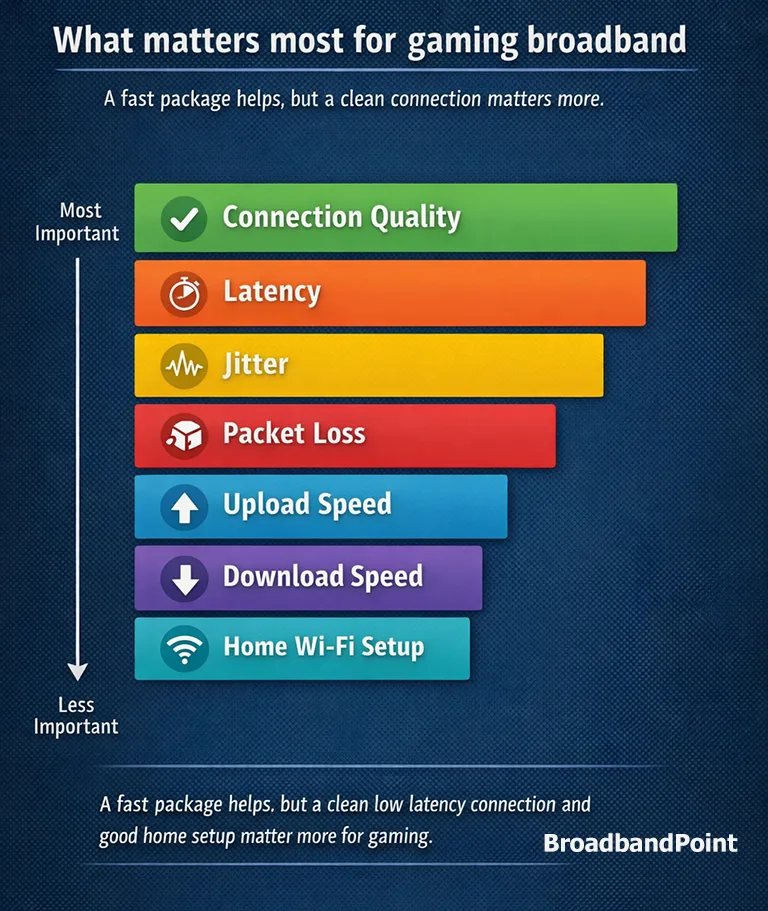
For gamers, the single most critical factor is low latency, often referred to as ping. Latency measures the time it takes for data to travel from your gaming device to the game server and back. High latency leads to noticeable lag, affecting reaction times and overall gameplay, especially in fast-paced online multiplayer titles. While high speeds are good for downloads, low ping is paramount for a smooth, responsive gaming experience.
Is fiber optic internet truly the best choice for serious gamers?
Yes, fiber optic internet is widely considered the gold standard for serious gamers. It offers symmetrical upload and download speeds, significantly lower latency, and superior reliability compared to cable or DSL. Fiber connections are less susceptible to congestion and environmental interference, ensuring a stable, consistent connection crucial for competitive play and streaming. If fiber is available in your area, it is almost always the best option.
How much download and upload speed do I actually need for gaming?
For most individual gamers, a download speed of 50-100 Mbps is sufficient, while 10-20 Mbps upload is generally fine. However, if you live in a household with multiple users, stream your gameplay, or frequently download large game updates, aiming for 200-500 Mbps download and 20-50 Mbps upload is highly recommended. The key is consistent, stable speed rather than peak theoretical numbers.
Which specific internet providers are generally recommended for gaming in the US?
In the US, top-tier fiber providers like Verizon Fios, AT&T Fiber, and Google Fiber are consistently praised for their low latency and symmetrical speeds. For cable, Xfinity and Spectrum can offer good speeds, but latency might be higher due to network congestion, especially during peak hours. Availability varies greatly by region, so checking local options is essential.
Can 5G Home Internet be a viable option for gaming?
5G Home Internet, offered by providers like T-Mobile and Verizon, can be a viable option for gaming, particularly in areas with strong 5G coverage. It offers decent speeds and lower latency compared to traditional fixed wireless or satellite. However, performance can vary based on network congestion and signal strength, and it might not always match the consistency of fiber or even well-implemented cable connections for competitive gaming.
What is the difference between download speed and upload speed for gamers?
Download speed refers to how quickly your device receives data from the internet, crucial for downloading games, receiving game updates, and loading online content. Upload speed is how fast your device sends data to the internet, which is vital for communicating with game servers, sending voice chat, and livestreaming your gameplay. Both are important, but upload speed becomes especially critical if you stream or play highly interactive multiplayer games.
How important is my router for a good gaming internet experience?
Your router is incredibly important. Even with a fantastic internet plan, a subpar or outdated router can create bottlenecks, increase latency, and cause unstable connections. A quality router with modern standards (like Wi-Fi 6 or 6E), strong QoS (Quality of Service) features, and robust processing power ensures data is handled efficiently, minimizing lag and maximizing the performance of your internet connection for gaming.
Ever found yourself staring at a frozen screen during a crucial boss fight, or worse, disconnected mid-match while playing with friends? For many US gamers, balancing a demanding job and family life means gaming time is precious, and nothing sour's that relaxation faster than a terrible internet connection. We get it. You're not just playing; you're unwinding, building skills, connecting with your squad on Discord, or diving into new worlds. A reliable, high-performance internet provider isn't a luxury; it's the backbone of your gaming experience. According to recent data, about 87% of US adults game regularly, averaging over 10 hours a week, and a significant portion of that includes mobile gaming and social play across various platforms. The rise of cross-play, free-to-play titles, and immersive VR experiences means your internet connection works harder than ever.
You might be wondering, "What is the best internet provider for gaming?" It's a question many of us type into Google, hoping for a clear answer amidst a sea of technical jargon and marketing hype. This guide is built to cut through that noise. We'll demystify internet choices, pinpoint exactly what matters for gamers—not just download speeds—and help you identify providers that truly deliver. We’ll also tackle common pain points, from tricky setups to budget-friendly upgrades, so you can spend less time troubleshooting and more time conquering your virtual worlds. Let's optimize your connection and reclaim your gaming zen.
What Defines the Best Internet for Gaming?
When searching for what is the best internet provider for gaming, it's easy to get fixated on advertised download speeds. However, the "best" goes beyond just raw megabits per second (Mbps). For gamers, three critical factors take precedence: low latency (ping), connection stability, and adequate upload speeds. Latency is the responsiveness of your connection, measured in milliseconds (ms), and directly impacts how quickly your actions register in-game. Stability ensures you don't experience frustrating disconnects or packet loss, which can lead to stuttering and missed inputs. And while high downloads are important, robust upload speeds are essential if you stream your gameplay, engage in voice chat, or play highly interactive online titles. A balance of these elements creates the ideal gaming environment, allowing you to react instantly, communicate clearly, and enjoy uninterrupted sessions.
Why is Low Latency Crucial for Gamers?
Low latency, often called low ping, is arguably the single most important metric for any serious online gamer. Imagine you're in a fast-paced shooter, and there's a delay between when you click your mouse and when your character fires their weapon on screen. That's latency in action. High ping means your game client and the server are taking too long to communicate, leading to frustrating disadvantages like "peeker's advantage" (where an enemy sees you first) or missed dodges in an RPG. For US gamers who prioritize skill-building and competitive play, minimizing ping is vital for fair, responsive gameplay. Fiber optic internet inherently offers lower latency due to how light signals travel compared to electrical signals over copper, making it a top contender for this reason.
How Much Speed Do You Really Need for Gaming?
While low latency is paramount, sufficient speed is still necessary. For a single gamer, a download speed of 50-100 Mbps is usually more than enough for actual gameplay. The game itself doesn't consume vast amounts of bandwidth once it's running; it's mostly sending small data packets for player positions and actions. However, consider the bigger picture: Are you downloading massive game updates that are several hundred gigabytes? Do other household members stream 4K video, work from home, or attend online classes simultaneously? In such cases, aiming for 200-500 Mbps download and 20-50 Mbps upload becomes much more sensible to ensure everyone's needs are met without impacting your gaming performance. Symmetrical speeds, where upload matches download, are ideal if you stream your gameplay regularly or share large files frequently.
Is Fiber Optic Internet Truly the Gold Standard for Gaming?
Absolutely. If available in your area, fiber optic internet is unequivocally the gold standard for gaming. Unlike traditional cable or DSL, fiber uses light signals transmitted through glass strands, offering vastly superior performance. Key benefits for gamers include:
- Symmetrical Speeds: Upload speeds often match download speeds, which is a huge advantage for live streamers and those using voice chat.
- Lower Latency: Fiber connections typically have the lowest ping, crucial for competitive play.
- Greater Stability: Fiber is less susceptible to network congestion during peak hours, electrical interference, or distance degradation, leading to fewer lag spikes and disconnects.
- Future-Proofing: Fiber networks are built to handle much higher speeds in the future, meaning your investment will last longer.
Which Internet Providers Consistently Deliver for Gamers?
Identifying what is the best internet provider for gaming heavily depends on your location, but some providers consistently stand out.
- Fiber Optic Champions:
- Verizon Fios: Often lauded for its excellent low latency and symmetrical speeds, a top choice where available.
- AT&T Fiber: Another strong contender, offering robust fiber connections with competitive speeds and reliability.
- Google Fiber: Known for blazing-fast symmetrical speeds and consistently low ping, though availability is limited.
- Cable Providers (Good for Speed, Variable Latency):
- Xfinity (Comcast): Wide availability and high download speeds, but latency can vary due to network congestion, especially during peak evening hours when everyone is online.
- Spectrum (Charter Communications): Similar to Xfinity, offers high speeds but typically not symmetrical uploads. Good for casual gaming, but competitive players might notice minor latency fluctuations.
- Cox: Strong presence in specific regions, offering good cable speeds.
- Alternative Options (Situational):
- T-Mobile 5G Home Internet & Verizon 5G Home Internet: Can be a decent option in areas with strong 5G coverage, offering good speeds and lower latency than traditional fixed wireless. Performance can fluctuate based on network load and signal.
- Starlink (Satellite): A game-changer for rural gamers who previously had no good options. Offers significantly lower latency than traditional satellite, but still higher than fiber or cable. Best for those with no other high-speed choices.
How Can I Test My Current Internet for Gaming Performance?
Before switching providers, understand your current internet's gaming strengths and weaknesses. It's like checking your health before hitting the gym.
- Run Speed Tests: Use sites like Speedtest.net or Fast.com. Don't just look at download; pay attention to upload and, most critically, your ping/latency to several servers (including a nearby gaming server if possible). Run tests multiple times throughout the day, especially during peak gaming hours (evenings and weekends), to identify potential congestion.
- Monitor In-Game Ping: Many games display your ping in real-time. Keep an eye on it to see how it fluctuates. Is it stable, or does it spike unexpectedly?
- Check for Packet Loss: This is harder to measure but can be devastating for gaming. Tools like PingPlotter can help visualize packet loss over time and identify where it might be occurring (e.g., within your home network or further upstream).
- Connect via Ethernet: Test your connection both wirelessly and with a wired Ethernet cable directly to your router. A significant difference in performance indicates a Wi-Fi issue rather than an ISP problem.
What Other Factors Besides Speed Affect My Gaming Experience?
Your internet provider is only one piece of the puzzle. Even with what is the best internet provider for gaming, other elements can significantly impact your experience:
- Your Router: An outdated or low-quality router can be a major bottleneck. Upgrade to a modern router (Wi-Fi 6 or 6E) with QoS (Quality of Service) features that prioritize gaming traffic.
- Wired vs. Wireless (Ethernet): Always, always, always use an Ethernet cable for your primary gaming device if possible. Wi-Fi introduces higher latency, interference, and instability, even with the best routers.
- Network Congestion: Are others in your house streaming, downloading, or video conferencing? This can saturate your bandwidth. QoS settings on your router can help manage this.
- Device Updates and Background Apps: Ensure your gaming device (PC, console) and games are up-to-date, but also close any unnecessary background applications that might be consuming bandwidth or CPU cycles.
- Server Location: Sometimes, lag isn't your internet's fault. If the game server is geographically very far from you, even a perfect connection will have higher ping.
How Do I Choose the Right Gaming Internet Plan on a Budget?
For the budget-conscious gamer, finding what is the best internet provider for gaming means balancing cost and performance.
- Prioritize Fiber: If fiber is available and affordable, it's generally the best value long-term due to performance and reliability. Look for introductory offers.
- Check Cable Deals: Many cable providers offer competitive promotional rates for new customers. Be aware of potential price hikes after the first year.
- Understand Your Needs: Don't overpay for speeds you don't need. If you're a solo casual gamer, 100-200 Mbps might be sufficient. If you have a busy household and stream, 500+ Mbps might be a better investment.
- Bundle Opportunities: Sometimes bundling internet with TV or mobile services can offer savings, but evaluate if you truly need the other services.
- Read the Fine Print: Look for data caps (less common but still exist), equipment rental fees, and contract terms.
- Negotiate: Don't be afraid to call existing providers to see if they can match competitor offers, especially if you're out of contract.
When Should I Consider Upgrading My Gaming Internet?
You should consider upgrading your gaming internet when:
- Persistent Lag or Disconnects: If you constantly experience high ping or drops, especially when other household members are online, your current plan might be insufficient.
- Slow Downloads: Waiting hours for game updates or new titles is a clear sign you need more speed.
- New Gaming Habits: If you start streaming, enter competitive esports, or have more people using the internet simultaneously, your bandwidth needs will increase.
- Fiber Becomes Available: If a fiber optic provider expands to your area, it's often a worthwhile upgrade for its superior latency and stability.
- Router/Modem Issues: Sometimes, older equipment might be the culprit. An ISP upgrade might come with new, better hardware.
Are There Specific Providers Best for Social Gaming or Streaming?
For social gaming (like playing cooperative games, using Discord voice chat, or engaging in cross-play with friends) and especially for streaming, what is the best internet provider for gaming shifts focus slightly more towards upload speeds and overall network stability. Fiber optic providers like Verizon Fios, AT&T Fiber, and Google Fiber are ideal because they offer symmetrical or near-symmetrical upload and download speeds. This means your outgoing data (your voice, your video stream, your game actions) travels just as fast as incoming data. For busy US gamers who value connecting with friends online, these symmetrical speeds ensure smooth voice communication, uninterrupted streams, and responsive gameplay, enhancing the social aspect of gaming without frustrating bottlenecks. Cable providers can work, but their typically lower upload speeds might become a limitation for serious streamers.
Choosing what is the best internet provider for gaming doesn't have to be a confusing quest. By prioritizing low latency, connection stability, and adequate upload speeds, you can make an informed decision that elevates your gaming experience. Remember to evaluate fiber optic options first, consider the total bandwidth needs of your household, and always optimize your home network with a quality router and wired connections. With 87% of US adults regularly engaging in gaming, ensuring a top-tier internet connection is more important than ever for relaxation, social connection, and skill development. Don't let a subpar connection ruin your precious gaming moments.
What's your biggest gaming internet challenge? Comment below!
What is Ping in Gaming?
Ping, measured in milliseconds (ms), is the network latency or the time it takes for data to travel from your gaming device to the server and back. Lower ping means a more responsive and less laggy gaming experience.
Is 5G Home Internet Good for Competitive Gaming?
While 5G Home Internet offers decent speeds and lower latency than traditional wireless, it can be inconsistent for competitive gaming due to variable signal strength, network congestion, and potential latency spikes. Fiber or wired cable is generally more reliable for serious play.
Should I Use WiFi or Ethernet for Gaming?
Always use a wired Ethernet connection for gaming if possible. Ethernet provides a more stable, consistent connection with significantly lower and more predictable latency compared to Wi-Fi, which is susceptible to interference and signal drop-offs.
What is Packet Loss and How Does It Affect Gaming?
Packet loss occurs when data packets fail to reach their destination, leading to stuttering, rubber-banding, or temporary freezes in games. It's often caused by network congestion or a poor connection and is highly detrimental to online gaming performance.
How Can I Reduce Lag Without Changing My Internet Provider?
To reduce lag without changing your ISP, try using a wired Ethernet connection, upgrading your router, enabling Quality of Service (QoS) on your router to prioritize gaming traffic, closing background applications, and ensuring your gaming device has the latest drivers and updates.
Low Latency Gaming, Stable Internet Connection, Fiber Optic Priority, High Download and Upload Speeds, Reliable Customer Support, Wired Ethernet Advantage, Router Quality Importance, Budget-Friendly Gaming Plans, 5G Home Internet for Gaming, Satellite Internet for Rural Gaming
35#1 Gallery what is the best internet provider for gaming



Fidium Fiber Wins Best Internet Provider For Gaming Streaming 3 1 1024x512 . Top 5 Internet Providers For Gaming In 2026 Best Internet For Gaming . Best Internet Provider For Gaming UK 2026 Choose Wisely YouTube . The Best Internet Providers For Gaming In 2026 Fiber Optic Vs Cable Best Internet Providers For Gaming 2026 Map.webp. Five Best Gaming Broadband Providers And Top Five Deals For UK Gamers Gaming Broadband
#2 Gallery what is the best internet provider for gaming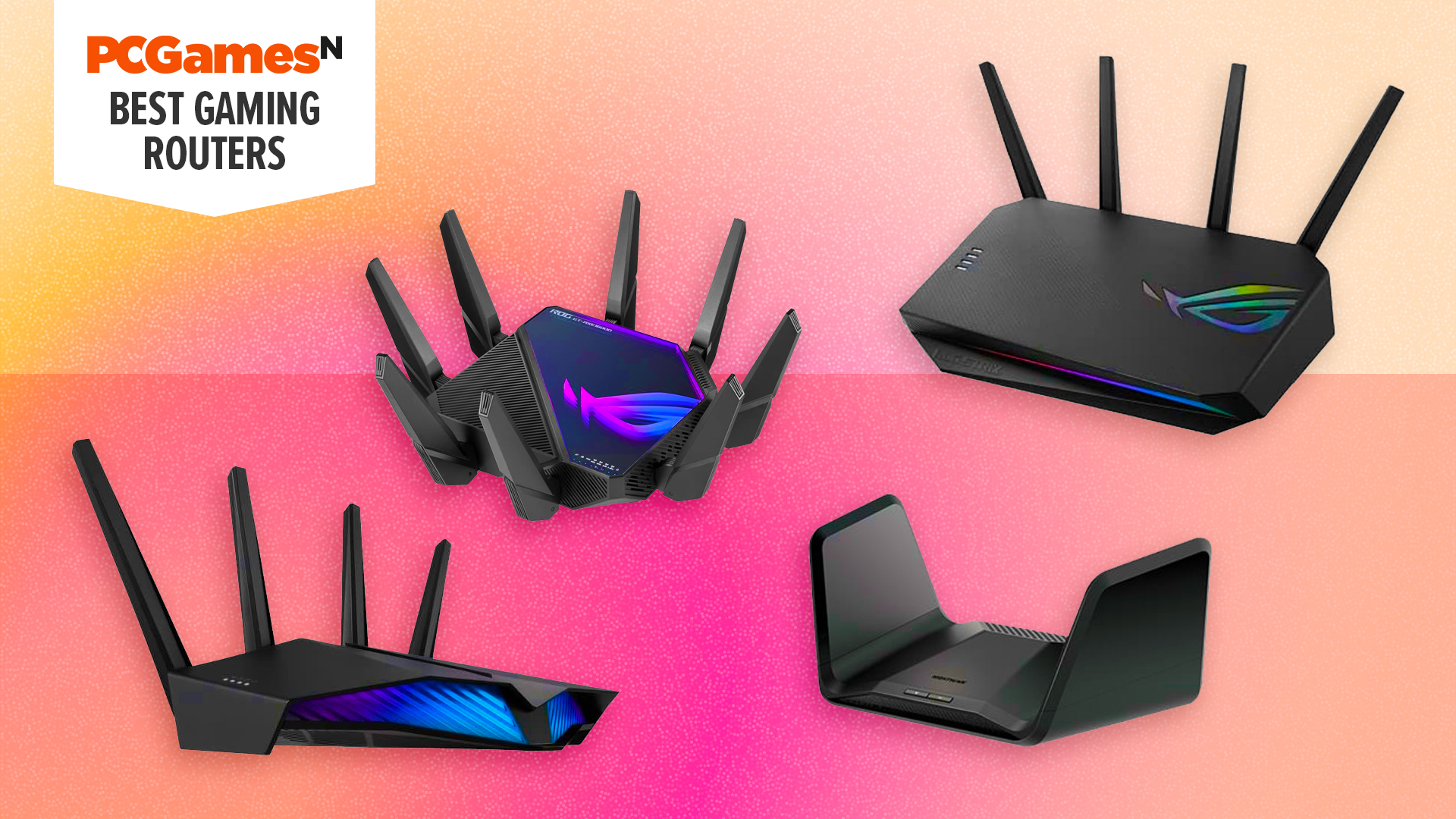


Best Gaming Router 2026 Best Gaming Router . Best Internet Provider For Gaming Comparison Junction Purple Colorful Illustrated Hello Designer Home Blog Banner 7 . Best Internet Provider For Gaming In The USA Guide Best Internet Provider For Gaming.webp. Best Internet Provider For Gaming In 2026 Gaming PC Guru Best Internet Provider For Gaming Featured . Five Best Gaming Broadband Providers And Top Five Deals For UK Gamers Gaming
#3 Gallery what is the best internet provider for gaming


What Is A Good Internet Speed For Gaming 2026 Cable TV Info What Is A Good Internet Speed For Gaming . Best Internet Providers For Low Ping Gaming In 2025 Image2 1 . The Best Gaming ISPs For 2026 Canada PCMag 1.fit . The Best Gaming ISPs For 2026 PCMag 1.fit Lim.size . Which Internet Providers Are Worth It In 2026 Best ISPs Compared Image
#4 Gallery what is the best internet provider for gaming




Is 5G Good For Gaming Com Best Internet Gaming Feature Image . Top 10 Most Anticipated Games Of 2026 What To Watch Out For TVN GAMES IN 2026 . Compare The Best Internet Providers In The US For 2026 Best Internet For Gaming . Internet Providers 2026 Best ISPs Plans Prices Coverage Image. 5 Best Smartphones For Gaming In 2026 MobileMall Blog Gaming Phones
#5 Gallery what is the best internet provider for gaming


Best Gaming Laptops At CES 2026 RTX 5090 Options Dual Screen Picks Lenovo Legion Pro Rollable Concept. What Is The Best Internet Speed For Gaming 2026 Guide Image. Best Internet Providers For Gaming In 2026 Game On 10 Best Internet Providers For Gaming 2023 Featured 1024x538 . Top Internet Providers 2026 Complete Guide Best Internet Providers . Top 5 Internet Providers For Gaming In 2026 Top 10 Internet Providers
#6 Gallery what is the best internet provider for gaming


Top 5 Internet Providers For Gaming In 2026 Best Orlando Internet Providers . Best Internet Providers For Gaming In 2026 Game On Download Speed Data Best Gaming Internet. Top 5 Internet Providers For Gaming In 2026 Best Internet Providers In San Francisco . 7 Best Gaming PCs Of 2026 Power Performance And Value Revealed Top Gaming Pcs 2026 1lmv2 . Top 5 Internet Providers For Gaming In 2026 Best Toledo Internet Providers
#7 Gallery what is the best internet provider for gaming

Best Internet Provider For Gaming 2026 Is It Verizon T Mobile . Which Internet Providers Are Worth It In 2026 Best ISPs Compared Image. How To Choose The Best Internet Provider For Streaming And Gaming Act Best Internet Provider For Streaming And Gaming Blog Image . Home Satellite Internet Service Providers At Dominic Chumleigh Blog Top 10 U.S. Broadband Providers 1068x601 . The Best Internet Providers For Gaming What You Need To Know Excitel