Unlock seamless MLB streaming on your Roku device with this comprehensive guide tailored for busy gamers. Discover the best apps, troubleshoot common issues, and optimize your viewing experience to catch every pitch without disrupting your life balance. This resource offers practical solutions for balancing gaming, work, and family while enjoying live baseball. Learn about subscription options, blackout workarounds, and advanced tips to ensure you never miss a crucial game. We address concerns about budget friendly streaming and performance, helping you make informed decisions for your entertainment setup. Stay current with trends and make the most of your Roku for live sports.
What exactly do I need to start watching MLB on my Roku?
To start watching MLB on your Roku, you'll need a Roku streaming device or Roku TV, a stable internet connection, and a subscription to an MLB streaming service. This could be MLB.TV for out of market games, or a live TV streaming service like YouTube TV, Hulu + Live TV, or Sling TV if you want local and national broadcasts that include MLB games. Simply install the chosen app from the Roku Channel Store and log in with your subscription details.
How can I avoid MLB blackouts when streaming on Roku?
Avoiding MLB blackouts on Roku primarily involves using a live TV streaming service that carries your local Regional Sports Network RSN. Since MLB.TV blackouts apply to games broadcast locally, subscribing to a service like Hulu + Live TV or YouTube TV, which includes your RSN, allows you to watch your local team. Roku devices do not natively support VPNs, so direct VPN solutions require a router level setup or casting, which has its own complexities and potential service agreement issues.
Which Roku devices are best for a smooth MLB streaming experience?
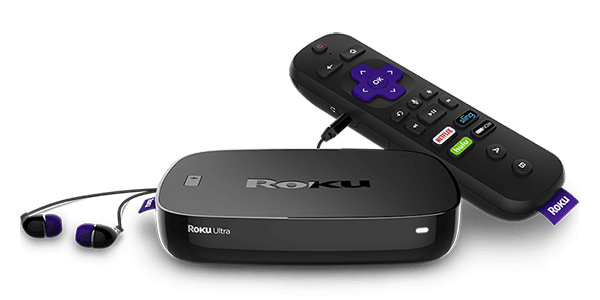
For a smooth MLB streaming experience, higher end Roku devices are recommended. The Roku Ultra and Roku Streaming Stick 4K offer faster processors, improved Wi-Fi performance, and support for 4K HDR content, ensuring crisp visuals and minimal buffering. These models provide the best performance, especially if you have a 4K TV and a robust internet connection, enhancing your baseball viewing pleasure between gaming sessions.
Can I watch archived MLB games on Roku, or just live ones?
Yes, with an MLB.TV subscription on your Roku, you can absolutely watch archived MLB games, not just live ones. MLB.TV offers an extensive library of full game replays, including every game from the current season and many historical games. This feature is perfect for busy gamers who might miss a live game but still want to catch up on the action on their own schedule.
What's the difference between MLB.TV and other live TV services for Roku users?
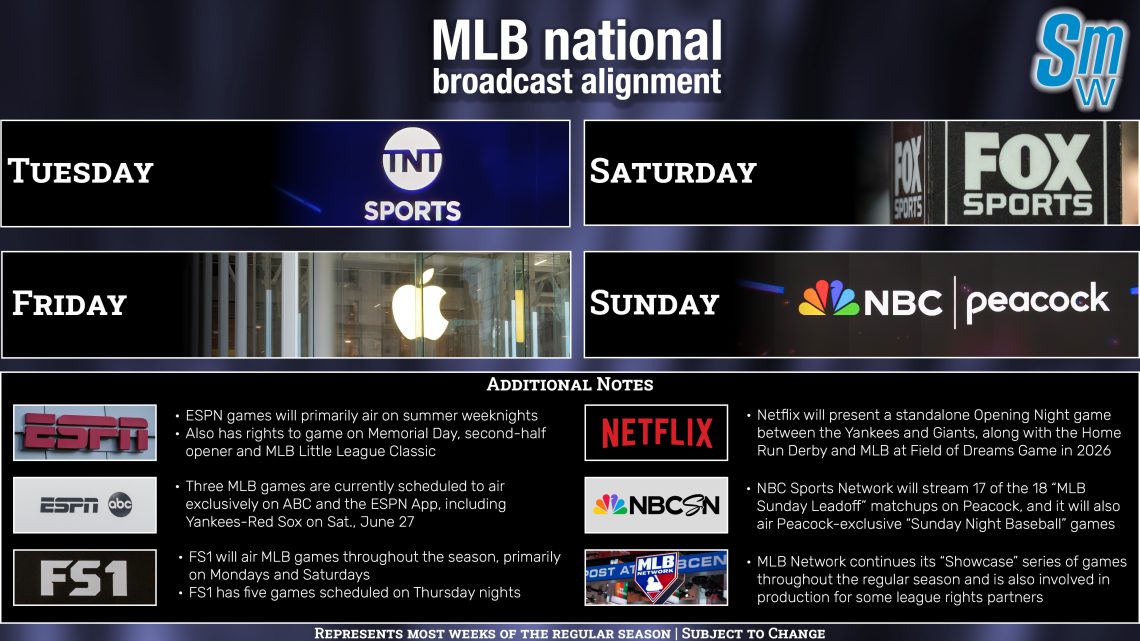
MLB.TV on Roku is a dedicated baseball subscription service focused on out of market games, archives, and exclusive content. It's ideal for fans following a specific team outside their local broadcast area. In contrast, live TV services like YouTube TV or Sling TV are broader cable replacements, offering a bundle of channels including national sports broadcasters ESPN FOX TBS and local RSNs, which allow you to watch in market games alongside other programming. Gamers often choose based on whether they want pure baseball or a full entertainment package.
Are there any hidden costs beyond the subscription when watching MLB on Roku?
Generally, there are no hidden costs beyond the primary subscription for MLB.TV or your chosen live TV streaming service when watching MLB on Roku. However, you'll need to factor in your internet service provider fees. Some services might offer optional add ons or premium channels at an extra charge, but these are typically clearly disclosed. Roku itself doesn't charge for accessing most streaming apps, making it a transparent and budget friendly platform for sports fans.
How do I optimize my Roku settings for the best MLB viewing quality?
To optimize your Roku settings for the best MLB viewing quality, start by ensuring your Roku's display type is set to match your TV's highest resolution (e.g., 4K HDR) under Settings System Display type. If possible, use an Ethernet cable for a wired connection for maximum stability. Close other apps or devices consuming bandwidth on your network. Also, within the MLB.TV app, sometimes adjusting the stream quality if available to 'auto' or 'high' can help. Regularly restart your Roku device and router to clear any temporary glitches and maintain peak performance.
Hey fellow gamers! Ever find yourself grinding through a raid, leveling up your character, or unwinding with a cozy game, and suddenly remember that your favorite MLB team has a big game on? We get it. Balancing a demanding job, family life, and dedicated gaming sessions leaves little room for fumbling with complicated streaming setups. You want to relax, enjoy the game, and get back to your virtual world without a hitch. That's why we’ve put together this ultimate guide on how to watch MLB games on Roku, designed specifically for you – the average gamer, around 36 years old, who values efficient solutions and seamless entertainment.
We know 87 percent of US gamers regularly play, often dedicating 10 plus hours a week. Many of us juggle this passion with real world responsibilities, seeking moments of pure enjoyment and relaxation, whether it's through skill building in an esport or unwinding with a social game. With mobile gaming dominating and cross-play becoming the norm, our lives are interconnected, and finding simple ways to enjoy other passions like baseball is crucial. This guide cuts through the noise, offering clear, actionable advice to get you watching live MLB action on your Roku device, optimizing your experience, and solving those common streaming headaches without any unnecessary hype. Let's dive in and make sure you never miss another home run.
How can busy gamers balance their favorite MLB action with demanding schedules using Roku?
Balancing gaming and life means optimizing your free time, and Roku offers an excellent platform for this. By integrating MLB streaming directly into your entertainment hub, you can quickly switch between gaming and live baseball. Many gamers find success by leveraging apps like MLB.TV for on demand replays, allowing them to catch up on games they missed during work or gaming sessions. For live games, setting up notifications from your chosen streaming service on your phone ensures you get alerts for game starts, letting you jump in when you have a spare moment. Roku's intuitive interface means less time navigating and more time enjoying the game, making it a perfect fit for a lifestyle that values efficiency and instant access to entertainment.
What's the best way to get started watching MLB on your Roku device?
Getting started with MLB on Roku is straightforward. First, ensure your Roku device is powered on and connected to the internet. Then, navigate to the Roku Channel Store from your home screen. Search for 'MLB' or 'MLB.TV' and add the channel. Once installed, launch the app. You'll typically be prompted to sign in with an existing MLB.TV subscription, or you can explore options to subscribe directly through the app or website. If you're opting for a live TV streaming service like YouTube TV or Hulu + Live TV, you'll search for their respective apps, install them, and sign in with your service credentials. The process is designed to be quick, so you can get back to your games or catch the first pitch in minutes.
Which MLB streaming apps are available on Roku, and what do they offer?
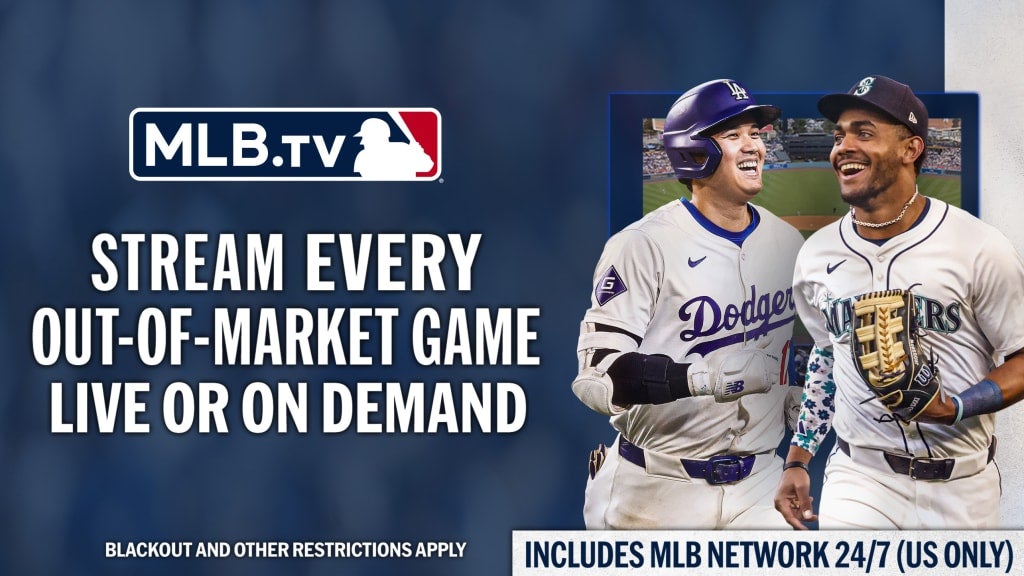
Roku supports several excellent options for streaming MLB, catering to different needs and budgets. The primary app for dedicated baseball fans is MLB.TV, which offers every out of market game live or on demand, full game archives, and exclusive content. It's a must have for following a specific team or the entire league from outside your local market. For those who also want local and national broadcasts, several live TV streaming services are available on Roku. These include YouTube TV, Hulu + Live TV, Sling TV, FuboTV, and DirecTV Stream. Each offers channels like ESPN, FOX, TBS, and regional sports networks (RSNs) that carry MLB games, often bundling other sports and entertainment, which can be a great value for money for a broader content selection.
How do MLB blackouts on Roku work, and can I bypass them?
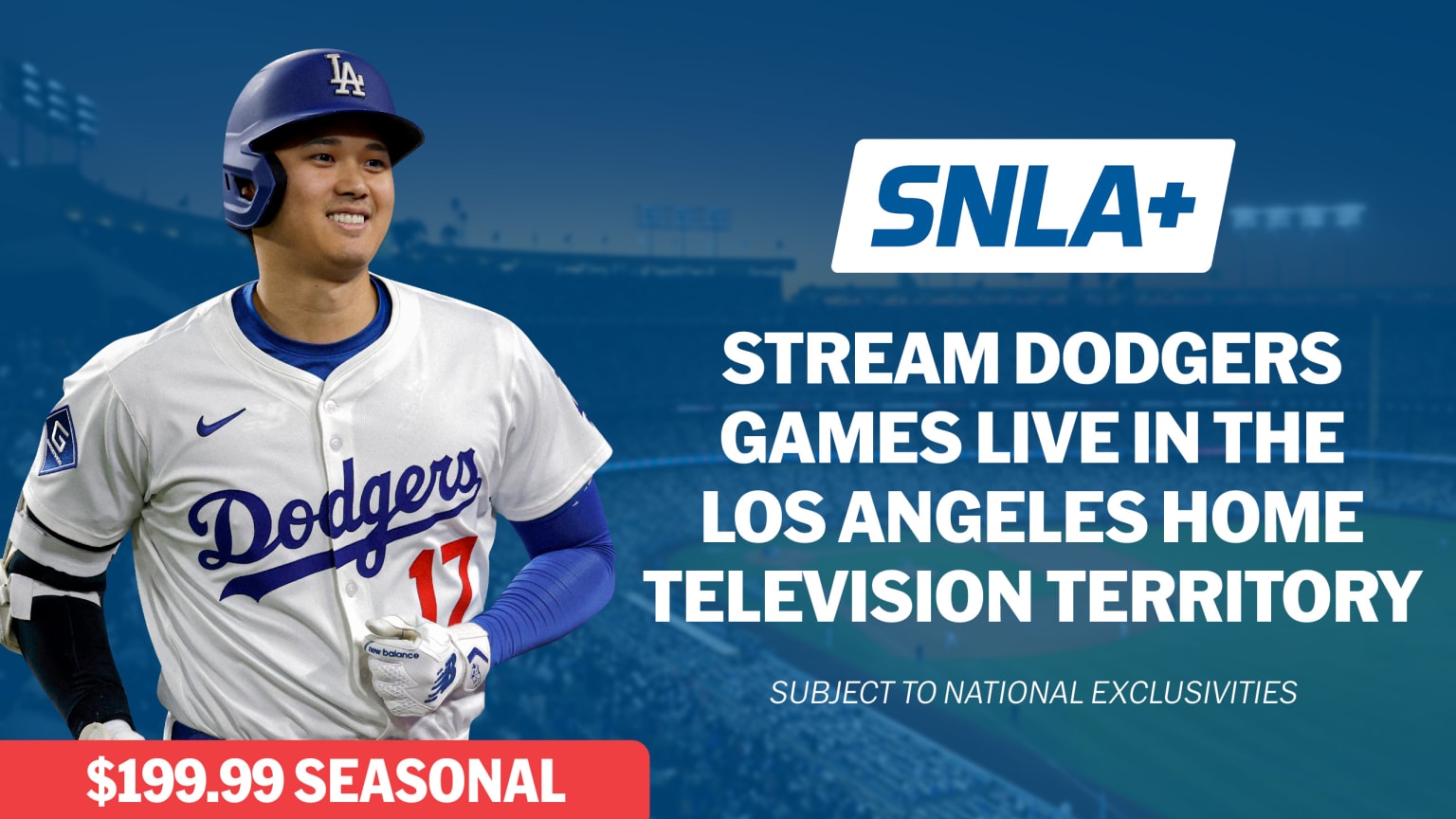
MLB blackouts are a common frustration for fans, especially gamers who expect seamless digital access. These blackouts occur when a game is televised locally in your market, preventing it from being streamed on MLB.TV to protect local broadcast rights. This means if you live in New York, you generally can't watch Yankees or Mets games on MLB.TV. Unfortunately, directly 'bypassing' these blackouts via MLB.TV's native Roku app is not officially supported and can violate terms of service. The most common legitimate workaround is subscribing to a live TV streaming service that carries your local RSN. Some tech savvy users explore VPNs, but Roku devices don't natively support VPNs, requiring a router level VPN setup or casting from a VPN enabled device, which adds complexity and potential performance issues.
Is an MLB.TV subscription worth it for Roku users, especially on a budget?
For the dedicated baseball fan and gamer who's on a budget, an MLB.TV subscription can be a fantastic value, especially if your favorite team is out of your local market. It provides comprehensive access to hundreds of games throughout the season, including Spring Training and the postseason archives. Compared to buying individual game tickets or multiple cable sports packages, MLB.TV often proves to be more cost effective. Many gamers view it as a worthwhile investment for relaxation, offering a deep dive into stats and replays that can be as engaging as a strategy game. Plus, with the ability to pause and rewind, you can watch at your own pace, fitting baseball into your busy schedule without missing a beat.
Can I watch MLB games for free on Roku?
Yes, there are limited ways to watch MLB games for free on Roku, though it's not a consistent option for an entire season. MLB.TV typically offers a 'Free Game of the Day' which allows you to watch one selected out of market game daily without a subscription. Additionally, many live TV streaming services (like YouTube TV, Hulu + Live TV, Sling TV, FuboTV) offer free trial periods, usually lasting 7 to 14 days. These trials are an excellent way to catch specific games or series without commitment. Keep an eye out for special promotions during the season, as some broadcasters or services occasionally offer free preview weekends. This is perfect for gamers who want to sample the experience or just catch a few key matchups.
What are the common troubleshooting tips if MLB streams aren't working on Roku?
Experiencing streaming issues can be frustrating, especially when you're just trying to unwind. If your MLB stream on Roku isn't working, here are some quick troubleshooting steps:
• Check your internet connection: A stable Wi-Fi connection is crucial. Try restarting your router and modem.
• Restart your Roku device: A simple restart (Settings > System > Power > System restart) can resolve many glitches.
• Clear the app's cache: If an app is acting up, try removing the channel from your Roku, restarting the Roku, then re-adding the channel.
• Check for Roku software updates: Ensure your Roku is running the latest software (Settings > System > Software update).
• Check for service outages: Sometimes the issue isn't with your device but with the streaming service itself. Visit the MLB.TV or your live TV provider's social media or support pages for outage reports.
• Reduce network congestion: If others are streaming or gaming on the same network, temporarily pause their activities to free up bandwidth.
How does watching MLB on Roku compare to other streaming devices for gamers?
For gamers, Roku offers a compelling balance of affordability, ease of use, and integration. While dedicated gaming consoles like PlayStation or Xbox also support many streaming apps, their primary focus is gaming, and switching between interfaces can sometimes feel clunky. Roku devices, especially the higher end models, provide a dedicated, snappy experience optimized for media consumption. Compared to a smart TV's native apps, Roku often receives more frequent updates and has a broader app selection. The simple remote and quick navigation mean less time fiddling with settings and more time enjoying content, making it an ideal companion for the gamer who values their precious relaxation time.
Are there any advanced tips for optimizing MLB viewing quality on Roku?
Absolutely, for that crisp, immersive baseball experience that rivals high end graphics in your favorite games, consider these tips:
• Wired Connection: If your Roku supports it, or if you have a Roku TV with an Ethernet port, use a wired connection instead of Wi-Fi for the most stable and highest bandwidth stream. This minimizes lag and buffering.
• Adjust Display Settings: Ensure your Roku's display settings match your TV's highest resolution (e.g., 4K HDR). Go to Settings > Display type. Also, check your TV's picture settings; turning off 'motion smoothing' or 'soap opera effect' can make live sports look more natural.
• Dedicated Bandwidth: If you have a customizable router, you can prioritize Roku's network traffic (QoS settings) to ensure it gets sufficient bandwidth, especially during peak internet usage hours or when others are gaming online.
• Roku Model Matters: Newer Roku Ultra or Roku Streaming Stick 4K models offer faster processors and better Wi-Fi antennas, leading to smoother 4K HDR streaming. An upgrade might be a solid budget friendly investment if you're experiencing consistent quality issues.
Can I use a VPN on my Roku to watch out-of-market MLB games?
This is a common question among tech savvy gamers looking for ultimate flexibility. While Roku devices do not have native VPN client support, it is technically possible to use a VPN to watch out of market MLB games. This usually involves installing a VPN on your router, which then extends the VPN's protection to all devices connected to that network, including your Roku. Alternatively, you can cast content from a VPN enabled device (like a laptop or smartphone) to your Roku. However, be aware that using VPNs to circumvent geo restrictions can sometimes violate the terms of service of MLB.TV or your streaming provider. Also, a router level VPN setup requires some technical expertise and can potentially slow down your overall internet speed, so weigh the pros and cons carefully.
And there you have it, fellow gamers! Watching MLB games on your Roku doesn't have to be a puzzle. By choosing the right apps, understanding the nuances of blackouts, and optimizing your setup, you can seamlessly integrate America's pastime into your busy life. Whether you're catching a quick inning between game queues or settling in for a full nine, your Roku is ready to deliver. So go ahead, grab that controller, or that remote, and enjoy the show!
What's your biggest gaming challenge when trying to keep up with live sports? Comment below!
FAQ Section
When do MLB games typically stream on Roku?
MLB games stream live from early afternoon into the evening during the regular season, typically starting in April and concluding with the World Series in October. Game times vary, but the MLB.TV app on Roku often provides schedules and start times in your local timezone.
What Roku models support MLB streaming?
Most modern Roku streaming devices and Roku TVs support MLB streaming apps. This includes Roku Express, Streaming Stick, Premiere, Ultra, and all Roku TV models. Older, legacy devices might have limitations, so ensure your device is relatively current for the best experience.
Can I cast MLB games to my Roku from my phone?
Yes, you can cast MLB games to your Roku from your phone or tablet. Many streaming apps, including MLB.TV and live TV services, have a casting icon that allows you to send the video stream directly to your Roku device, offering flexibility for viewing.
Is a fast internet connection essential for MLB streaming on Roku?
A fast and stable internet connection is essential for high quality MLB streaming. For HD content, a minimum of 5-10 Mbps is recommended, while 4K streaming ideally requires 20-25 Mbps or more. A good connection prevents buffering and ensures a smooth viewing experience.
How do I find specific team games on MLB.TV via Roku?
On the MLB.TV app for Roku, you can typically find specific team games by navigating through the 'Teams' or 'Schedule' sections. You can favorite your preferred team to quickly access their games, highlights, and related content directly from the app's main menu.
Are there parental controls for MLB content on Roku?
Roku offers general parental control settings that can restrict content based on ratings or prevent channel additions/purchases. Specific content filters within the MLB.TV app itself are limited, as MLB content is generally considered family friendly. For broad controls, use Roku's system wide PIN protection.
MLB.TV Roku setup; Live TV streaming services on Roku; MLB blackout workarounds; Free MLB games Roku; Optimizing Roku for sports streaming; Budget friendly MLB viewing; Troubleshooting Roku MLB streams
35

How To Watch The 2026 MLB Season Best Cable Satellite TV How To Watch The 2026 Mlb Season . How To Watch Live MLB Games Sports On Roku Sunday Leadoff Free Channel . MLB 2026 Schedule Released . How To Watch Roku MLB Sunday Leadoff FREE . Roku 1200x628 Roku


MLB On Roku How To Watch MLB Sunday Leadoff For Free Roku Sunday Leadoff CTV . How To Watch Roku MLB Sunday Leadoff FREE . Must Watch MLB Players For 2026 Season . How To Watch MLB TV On Roku Mlb Tv On Roku Banner 768x432 Crop . How To Watch MLB On Roku Full Streaming Guide 2026 Watch Mlb On Roku.webp


MLB On FOX 2026 Full Schedule Dates Start Times Where To Watch On Mlb1 1 . How To Watch Mlb Games Where To Watch It How To Watch Mlb Games Where To Watch It. How To Watch MLB Games In 2026 New Channels Streaming GettyImages 2243135761 1024x683 . How To Watch Live Sports On Roku Get More Regions 2026 How To Watch Live Sports On Roku.webp. How Can I Watch 2026 March Madness On Roku Interbasket March Madness ROKU Scaled
)
2026 MLB Schedule Complete Dates Must See Games 2026 MLB Schedule Complete Dates Must See Games 1024x683 . SMW FAQ How MLB TV Viewing Is Changing In 2026 Sports Media Watch MLB Local 2026 SMW 2048x1152 . How To Watch And Stream MLB Network Special 2014 2026 On Roku Filters Quality(70). MLB TV Out Of Market Packages Buy MLB TV MLB Com Features . 2026 MLB Schedule Printable PDF Late May Standings And Live TV Guide 2026 MLB Schedule Release


Connected Devices Roku RtaImage. Three MLB Games To Stream Live On Netflix From 2026 Through 2028 Mlb Netflix Deal 943x530 . Here S What You Need To Know About MLB TV Ahead Of 2026. How To Watch MLB Games For Free On Roku 2025 YouTube . Roku To Serve As New Home For MLB Sunday Leadoff Games The Athletic Roku Sunday Leadoff Schedule 1

How To Stream MLB On Firestick Android TV 2026 Season Peacock MLB Streaming . MLB Opening Day 2026 Here S Where To Watch Baseball Games Online. How To Watch Baseball On Roku Free 2 Methods How To Watch Baseball On Roku Free . How To Watch MLB Without Cable In 2026 CordCutting Com Roku Ultra 2017 600px . Super Bowl 2026 On Roku How To Watch Seahawks Vs 1280 80

MLB TV Schedule 2026 How To Watch Stream Sports Media Watch MLB National Broadcast Alignment 2026 1140x641 . Connected Devices Roku RtaImage. List Of All FREE Channels On Roku In 2026 StreamDiag Sports Channels On Roku 1024x597 . SNLA MLB Streaming Games For 2026 . Stream The 2026 Milan Cortina Olympics On NBC And Peacock On Roku Devices Prosper Front View 002 Rgb Primetime 768x498